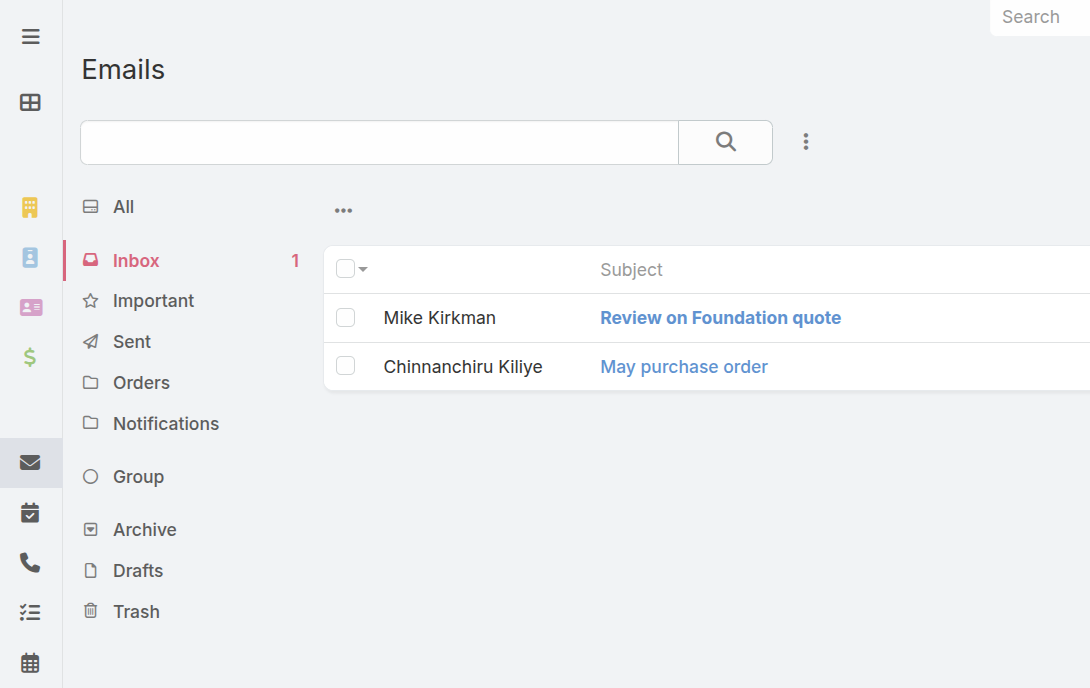
You can connect multiple personal and shared mailboxes to automatically sync emails into your CRM. Incoming emails are automatically associated with corresponding records and then can be viewed in the history panel of these records as well as in the stream.
When you are subscribed to a certain record, you can stay updated on related emails – even if you’re not a recipient.
CRM as email hub
The CRM acts as a shared hub for emails across multiple mailboxes, allowing any conversation to be easily continued by another user without needing to CC them first.
Email client–style view
A centralized view that looks like a classic email client.
Multiple email accounts per user
Each user can have multiple email accounts for different email addresses.
Folders
Users can create folders to organize their emails, while group folders facilitate collaboration.
Filters
Users can set up multiple filters to automatically place emails into appropriate folders, mark them as read, or ignore them completely.
Quick tour
Get familiar with the Email Sync feature with our quick tour. Click on hotspots or use the arrow keys to move through steps.
Documentation
Check the documentation to learn how to set up inbound emails.